
Event RSVP via Text Message (SMS)
With Save This Date, you can collect event RSVPs via text message (SMS) in a simple, trackable way. With one click, the system sends an SMS RSVP request to your guest list asking each guest to confirm attendance and (if relevant) the number of guests attending. Messages are sent from Save This Date virtual numbers (not your personal phone number), and guests are taken to your event page to respond in seconds.
- Send one SMS RSVP request to your guest list
- Guests confirm attendance and guest count on your event page
- Track replies instantly in a live RSVP report
- Send reminders only to non-responders
- Export RSVP results to Excel
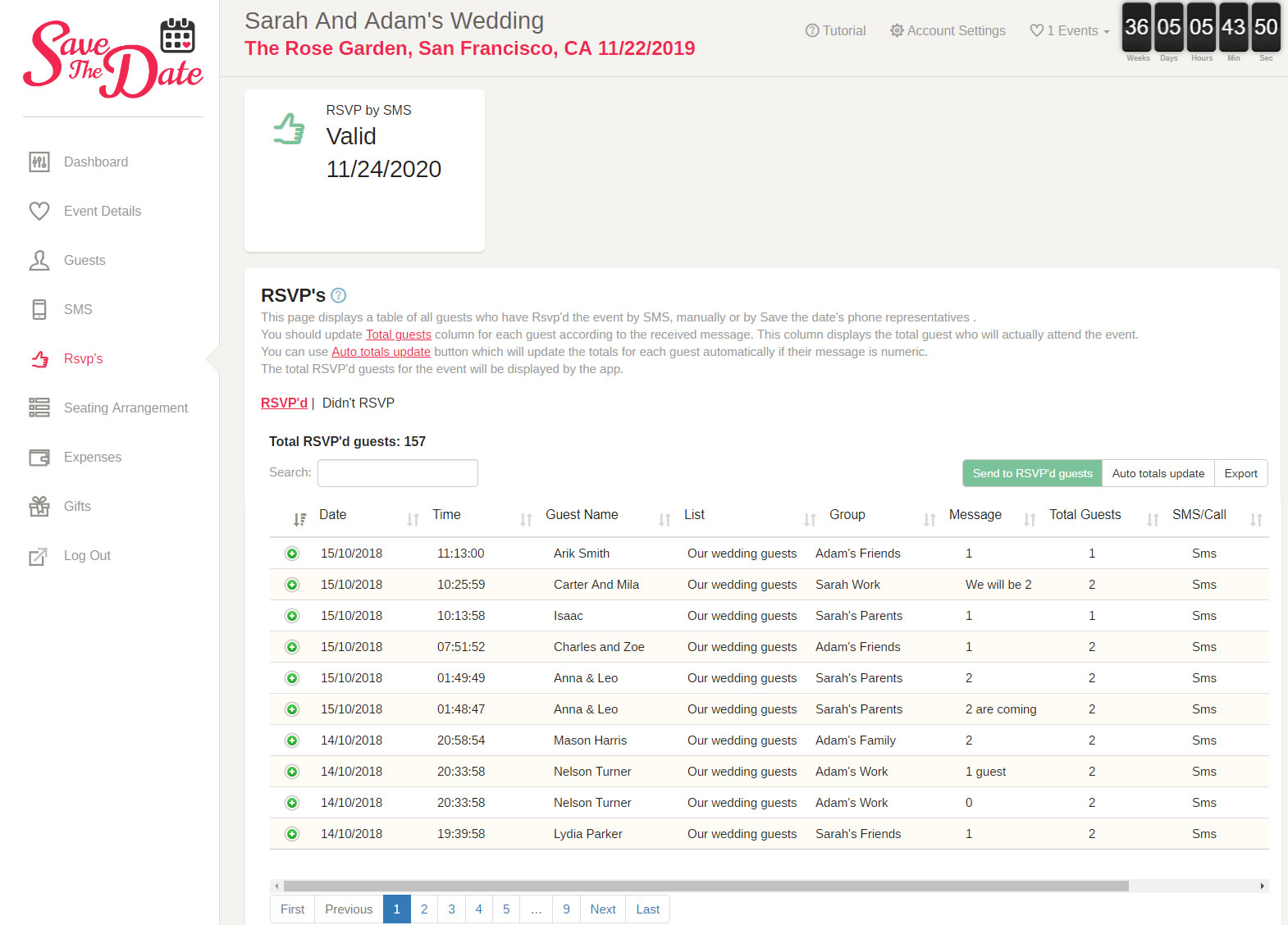
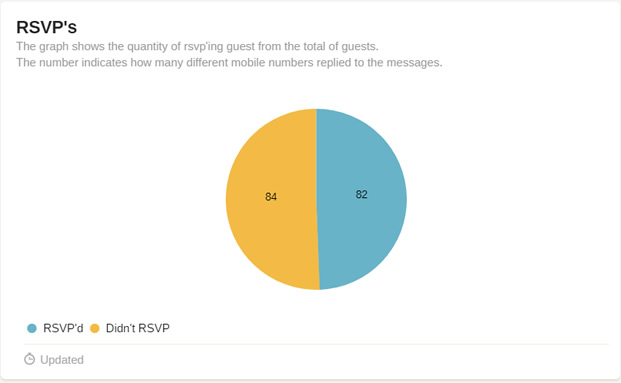
Every reply appears in your live RSVP report, updated automatically. The report shows each guest’s name, how many people were invited, and how many are attending. For example, you might invite 3 and receive an RSVP for 2 — and your totals update immediately so you always have an accurate headcount.
After the first SMS RSVP round, you can follow up efficiently: send a reminder only to guests who haven’t responded, or message only the guests who confirmed attendance (useful for last-minute updates, reminders, or day-of information).
Accurate RSVPs help you avoid paying for seats, meals, and supplies for guests who won’t attend. You can also export the RSVP report to Excel for vendors, seating plans, or budgeting. If you want to build your guest list first, start with guest list management or upload guests from Excel.
For related workflows, see: send event details by SMS and schedule message delivery.
View the RSVP report
Screen Shots (click to enlarge):
SMS RSVP FAQ
Do guests need to install an app to RSVP by text?
No. Guests receive an SMS with a link to your event page, where they confirm attendance and guest count.
Can I remind only guests who didn’t respond?
Yes. After sending the first SMS RSVP request, you can follow up only with non-responders, or message only confirmed attendees for reminders and updates.
What RSVP details can I track?
You can track each guest’s invited count and attending count, plus total attendance across the event in a live RSVP report.
Can I export my RSVP report?
Yes. You can export the RSVP report to Excel for vendors, seating plans, and planning.
Wishing you a productive use of the app
Save The Date Team
- Guest list management
- Upload guests list using Excel
- Send event details using text messages
- Schedule text messages delivery time
- Event Rsvp using text messages
- Event web page
- Event expense tracking
- Document gifts given by your guests
- Event seating Arrangement
- Event date countdown
- Send event location navigation link using Waze
- Save event date in calendar
- Text messages delivery status
- History events
- Text messages templates by event type
- Option for guest name in text message